CHEXX Mobile, PWA and Telegram
CHEXX can be used on phones through its mobile website and installable PWA, and Telegram access is also documented as a separate mode. The PWA installs from a supported browser and can sit on the home screen, so it behaves more like an app without requiring an unofficial APK.
CHEXX currently documents Chrome, Safari and Samsung Internet support across Android, iOS, Windows and macOS. This guide does not claim a current native App Store or Google Play app because that specific store availability has not been verified for public use.
The full picture is in our CHEXX review for the Philippines.
The main mobile option is a PWA
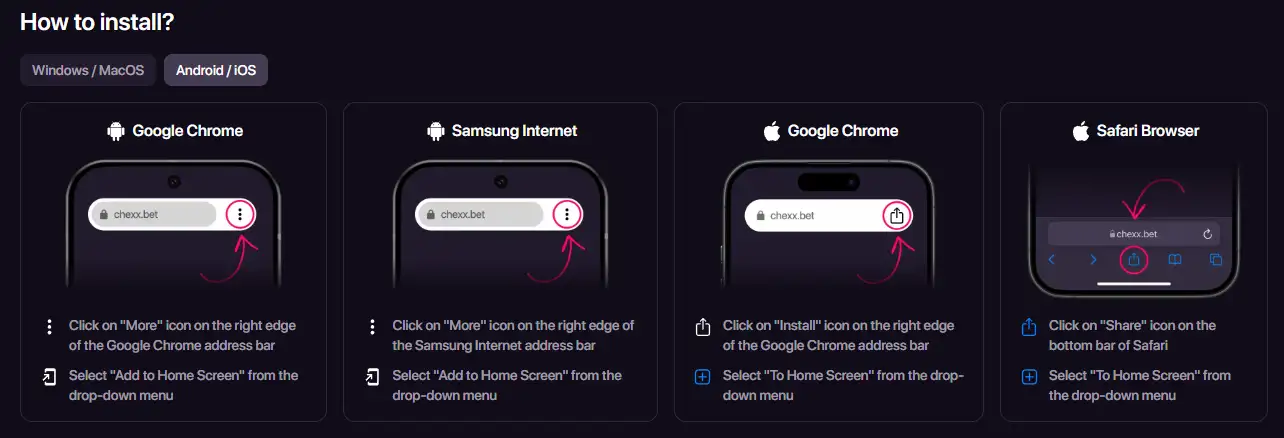
CHEXX publishes an installation page for its progressive web app. A PWA is a website that can be installed from a supported browser and launched from the home screen or desktop like an app. It uses the web platform rather than requiring a traditional store download.
CHEXX currently documents PWA support in Google Chrome on Android, iOS, Windows and macOS, Safari on iOS and macOS, and Samsung Internet on Android. That gives Philippines users a practical mobile route without relying on an unofficial APK.
PWA vs a native mobile app
| Feature | CHEXX PWA | Native store app |
|---|---|---|
| Installation | From a supported browser | Normally from an app marketplace |
| Home-screen access | Yes | Yes |
| Updates | Delivered through the web experience | Usually delivered through the app store |
| Verified CHEXX route | Yes | No current App Store or Google Play listing is claimed here |
For this reason, searches for a “CHEXX APK” should be treated carefully. This guide does not link to third-party installation packages.
How to install CHEXX on Android
CHEXX’s official PWA instructions support Android through Google Chrome and Samsung Internet. In Chrome, open chexx.bet, use the browser menu and choose the option to add or install the site on the home screen. Samsung Internet provides a similar Add to Home Screen flow.
Once installed, the PWA gives a direct launcher icon and is designed for faster access than repeatedly typing the website address. Because the installation starts from the official site, it also avoids the risk of downloading an altered APK from an unrelated source.
How to install CHEXX on iPhone or iPad
CHEXX documents installation through both Chrome and Safari on iOS. The exact browser wording can vary, but the core action is to add the site to the device’s home screen. Safari uses the Share menu, while Chrome can expose an install or home-screen action.
This is a PWA installation, not evidence of a separate native iOS application. If a third-party page claims that a store app exists, verify it independently before installing anything.
Windows and macOS access
CHEXX also documents PWA installation on desktop. Chrome can install the site on Windows and macOS, while Safari on macOS can add it to the Dock. This is useful for players who want a dedicated launcher without keeping a permanent browser tab open.
The underlying account is the same CHEXX account, so switching between desktop and phone should not require a separate casino profile.
Telegram is a separate access mode
The canonical CHEXX platform dossier also records Telegram access as a distinct route. That is different from the browser/PWA experience: it sits inside the Telegram ecosystem rather than being installed from the browser home-screen workflow.

For users who already rely on Telegram, this can reduce friction, but account security then depends partly on the security of the Telegram session. Protect Telegram with its available security controls and avoid account links sent from unknown chats.
Casino, sports and esports on mobile
CHEXX combines casino, sports and esports sections, and the current mobile site exposes the same broad product family rather than a mobile-only subset. The mobile page promotes casino and sports access, while separate mobile casino and sports URLs are visible in the official site structure.
This page does not duplicate the full game catalog or sportsbook taxonomy. For casino depth use the CHEXX games guide, and for betting use the planned CHEXX sportsbook.
Cashier continuity on mobile
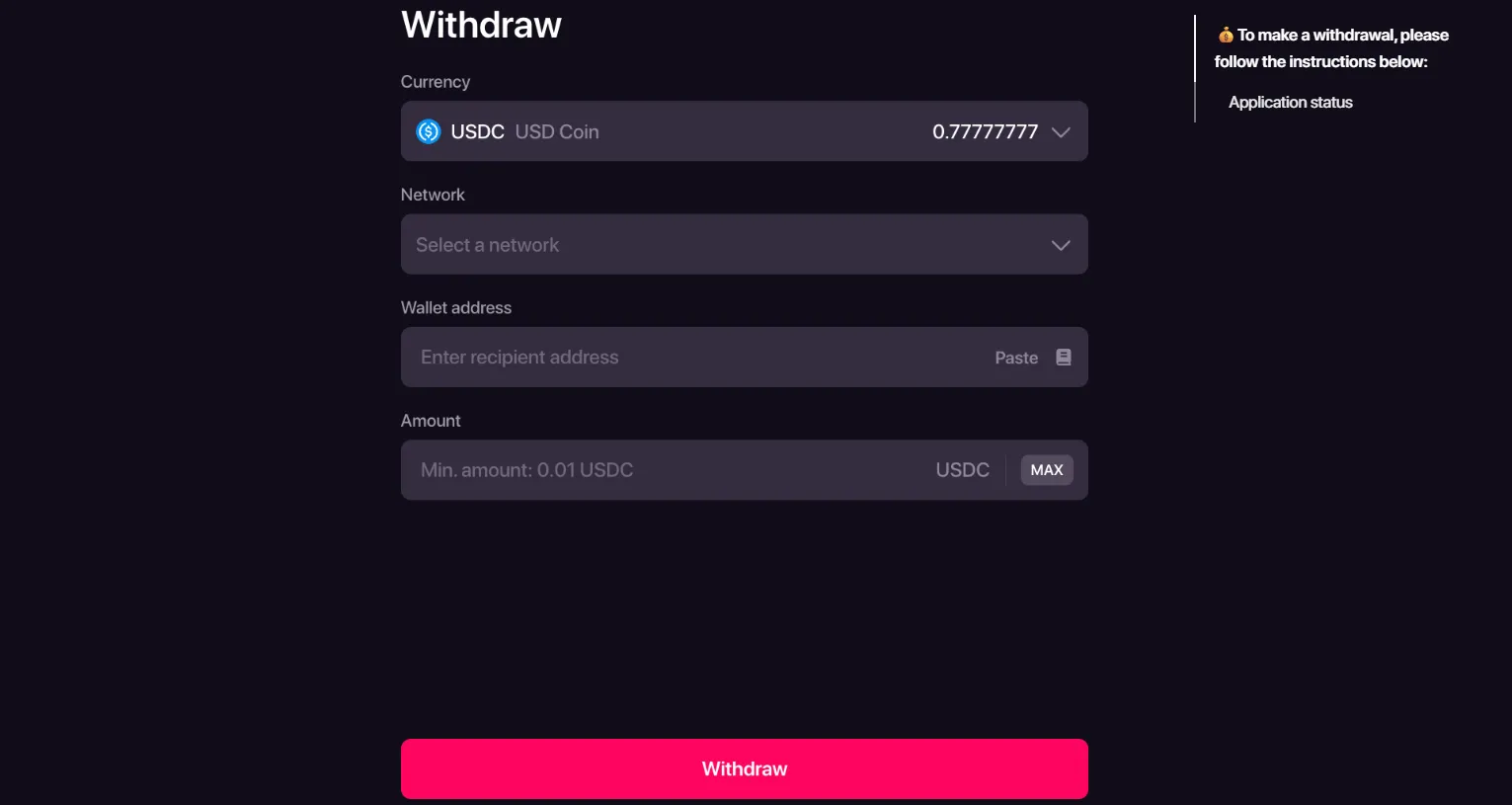
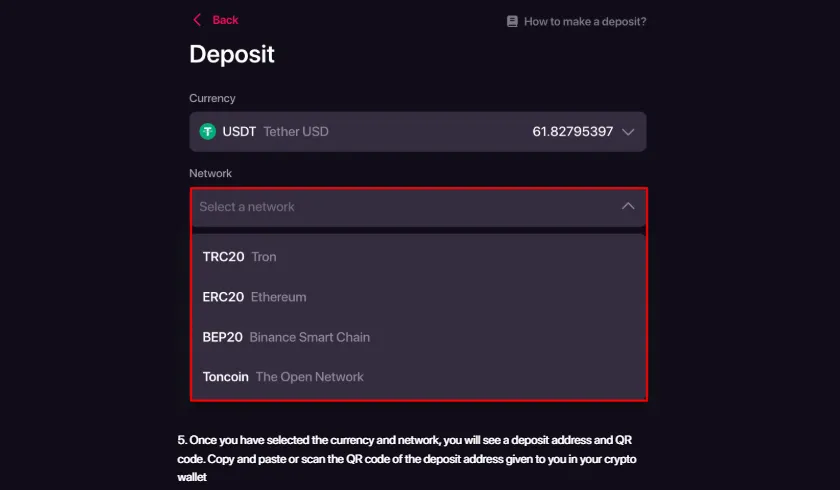
The mobile route uses the same CHEXX account and crypto-focused wallet model. That means the important payment checks remain the same: choose the correct asset, select the correct blockchain network, and confirm destination details before sending funds.
Mobile convenience does not make blockchain errors reversible. If you are funding from a phone wallet, compare the asset and network shown in CHEXX with the wallet’s send screen before confirming. The CHEXX payment methods explains the cashier model in more detail.
Notifications and home-screen access
CHEXX promotes PWA notifications and one-touch access from the device home screen. Those are practical advantages over a normal browser bookmark, especially for users who frequently check sports markets or account activity.
Notification permissions remain under the device and browser’s control. If you do not want gambling-related notifications appearing on a shared or work device, review the permission before enabling it.
Performance and connection quality
A PWA can reduce the friction of launching the site, but it does not remove the need for a stable connection. Live casino streams, in-play sports markets and rapidly changing balances are more sensitive to connection quality than static pages.
On mobile data, avoid confirming a wager or crypto transaction when the connection is switching networks or dropping repeatedly. Reload the account state first if the page appears stale.
Support from a phone
CHEXX provides 24/7 live chat support. On mobile, that is useful when an account, wallet or betting screen needs clarification without moving to another device. Keep the problem description specific and, where appropriate, include the transaction status or account section involved rather than sending sensitive wallet secrets.
Support should never need your seed phrase or private key. Those credentials remain private even when troubleshooting a wallet connection.
Mobile security for Philippines users
A phone often combines the casino session, email, Telegram and a crypto wallet on one device. That convenience concentrates risk. Use a device lock, protect email and Telegram recovery, and keep wallet seed phrases outside the phone where possible.
If a handset is lost, the recovery path for the login method matters more than the PWA icon itself. The installed PWA can be recreated; access to the underlying account identity is what must be protected. The CHEXX account covers those account controls.
Avoid unofficial downloads
Do not install a CHEXX APK from a random download site simply because it appears in search results. The verified route described here starts from the official CHEXX web/PWA installation flow. That approach reduces the risk of installing software that captures login or wallet information.
The same caution applies to Telegram links. Use links surfaced through CHEXX’s official environment rather than public channels that imitate the brand.
Which access mode fits which user?
Mobile browser
Best when you want zero installation and occasional access.
PWA
Best when you use CHEXX regularly and want a home-screen icon with browser-based installation.
Desktop PWA
Useful for a dedicated launcher on Windows or macOS.
Telegram
Useful for users already comfortable securing their Telegram account and using a Telegram-based access flow.
No mode changes the underlying questions about payment networks, account verification or local licensing. Those remain separate parts of the decision.
Session continuity between devices
Because the PWA is an access layer for the same CHEXX account, installing it on a phone does not create a second balance or a separate mobile profile. Account history, wallet functions and betting activity belong to the underlying account. If a session expires, sign back in through the same account method rather than trying to create another registration.
This matters when moving between a laptop and phone. A deposit started on one device and checked on another should still be evaluated through the same Transactions and Wallet areas. Avoid making a second payment merely because the first device no longer shows the confirmation screen.

PWA permissions worth reviewing
Home-screen installation can be useful without granting every optional permission. Notifications are convenient for account and sports updates, but they can also expose gambling activity on a lock screen. Review notification settings if the device is shared or visible to other people.
Browser storage and session data can also keep an account signed in longer than expected. On a shared computer or borrowed phone, use the browser rather than installing the PWA and sign out when finished.
Mobile wallet handoff
Many Philippines crypto users manage funds from a separate wallet app on the same phone. That can make depositing fast, but it also increases the chance of switching between screens and copying the wrong address or network. Read the CHEXX deposit details first, then confirm the asset and network again in the wallet before sending.
For withdrawals, the same discipline applies in reverse. Verify the destination address and network before approving the request. Mobile access makes the workflow shorter, not more forgiving.
Choosing between browser and installed PWA
If you access CHEXX only occasionally, a normal browser session is enough and leaves less persistent presence on the device. If you use the platform frequently, the PWA adds a dedicated icon, quicker launch and notification support. Desktop installation is useful for users who want a separate launcher but still prefer a computer for sports markets or live casino.
Telegram access is a different choice. It can be convenient for users already living inside Telegram, but it increases the importance of protecting that messaging account. There is no universal best mode – choose the route that fits how well you can secure the device and recovery channel.
An account comes first: registration.
Frequently asked questions
Does CHEXX have an app?
CHEXX officially provides a PWA that can be installed from supported browsers. This guide does not claim a current native App Store or Google Play app.
Can I install CHEXX on Android?
Yes. CHEXX documents PWA installation through Chrome and Samsung Internet on Android.
Can I install CHEXX on iPhone?
Yes. CHEXX documents adding the PWA to the home screen through Chrome or Safari on iOS.
Does CHEXX work on desktop?
Yes. The PWA installation guide covers Chrome on Windows and macOS and Safari on macOS.
Is an APK required?
No. The verified PWA route does not require a third-party APK.
Related coverage: CHEXX casino Philippines; and CHEXX license.









 Multihand BlackjackMultihand
 Vegas Strip BlackjackClassic
 Blackjack Surrender OriginsSurrender
 VIP American BlackjackVIP
 American BlackjackClassic
 Classic BlackjackClassic
 European BlackjackMultihand
 Ultimate Blackjack with RachaelLive-style
 Perfect Pairs BlackjackSide Bet
 Atlantic City BlackjackClassic
 Blackjack Lucky LadiesSide Bet
 Single Deck Blackjack GoldSingle Deck
 Vegas Downtown Blackjack GoldGold Series
 Turbo BlackjackFast-play
 Premier Blackjack with Side BetsSide Bet
 Lucky RouletteClassic
 Gold RouletteGold Series
 French RouletteNetEnt
 Multifire RouletteMultiplier
 Monopoly Roulette TycoonThemed
 Mini Roulette 3DMini
 Dragon RouletteThemed
 American RouletteClassic
 European RouletteClassic
 Mega Fire Blaze RouletteMultiplier
 RouletteRelax Gaming
 Double Ball American RouletteDouble Ball
 Quantum RouletteMultiplier
 Who Wants to Be a Millionaire RouletteThemed
Created by the ”Chexx Casino” editorial team.